
New Feature: Bulk Download for Selected Colorways

Save time and streamline your workflow with Textura’s new Bulk Download feature! You can now select multiple colorways and download them all at once,
How to Bulk Download Colorways.
Textura presents a faster Way to Manage Your Materials
No more downloading colorways one by one! With Bulk Download, you can quickly export multiple fabric variations, saving time and simplifying your digital material workflow.
After recoloring, once processing is complete, all recolored fabrics from your Swatches are automatically added to your main fabric as colorways.
You can access them directly from the Colorways dropdown under your main fabric.
Your recolored fabrics are also available in the main library, labeled as Colorway.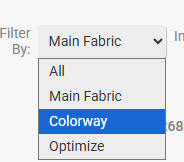
Open your Main Fabric and expand the Colorways dropdown.
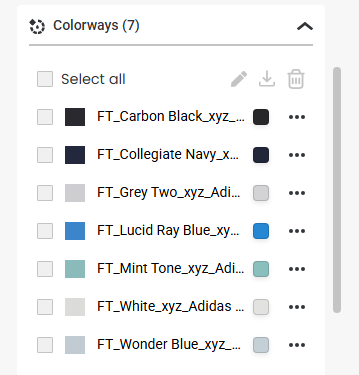
Select the colorways you want to download using the checkboxes, or click Select all to include every colorway.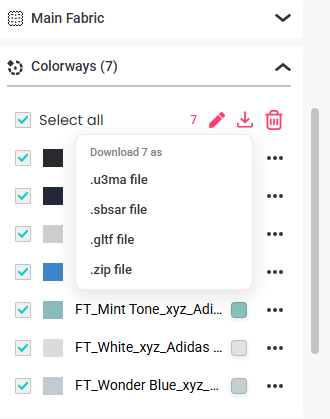
Click the Download icon at the top of the Colorways list.
Choose your preferred file format.
Download your selected colorways together in your chosen format.